Pre-visit chart prep
Every upcoming appointment, with the items to fix before the patient walks in.
- No insurance on file
- Member ID missing
- No visit reason, email or guarantor
Front Desk Bots reads your eCW schedule and patient records and lists what needs fixing before patients arrive: missing member IDs, no visit reason, copays not collected, patients with no follow-up booked. It only reads. Nothing in eCW changes.
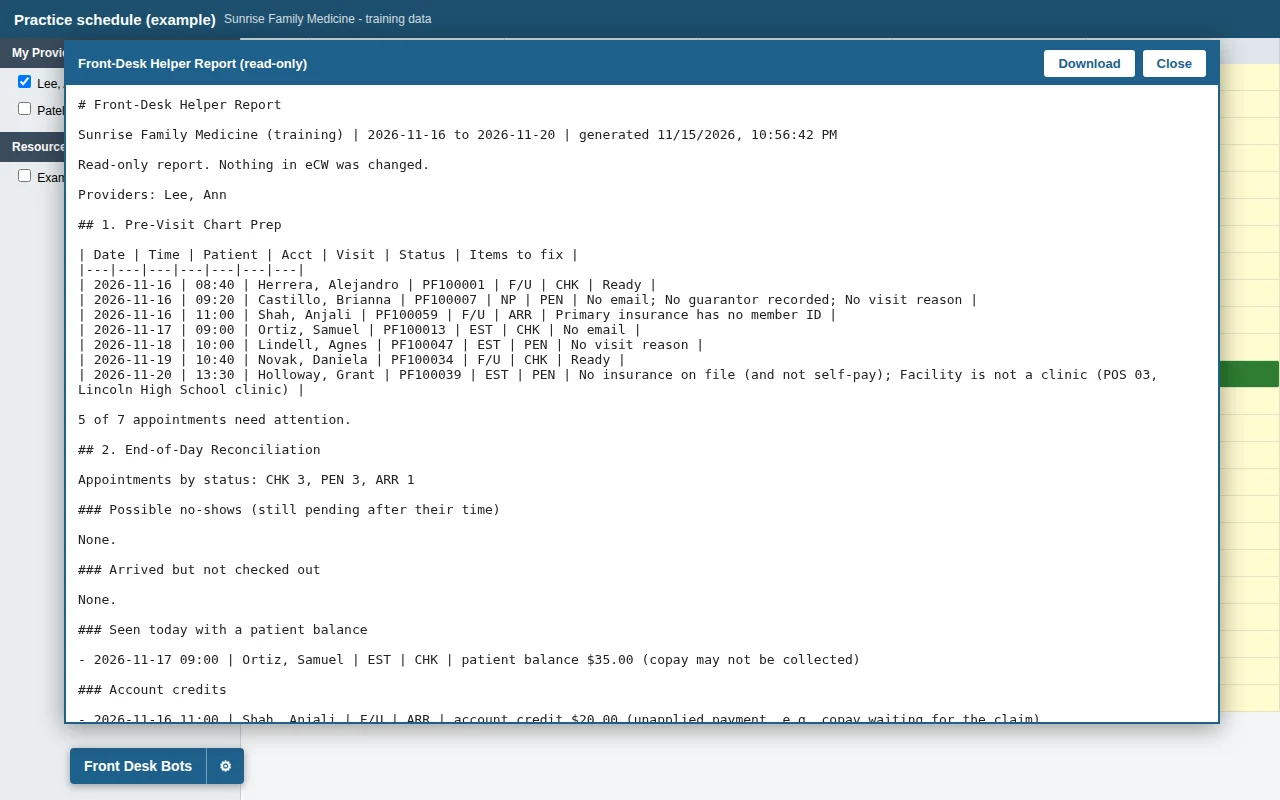
Pick a date range and Front Desk Bots builds one report with four sections. Download it, print it, or work through it at the desk.
Every upcoming appointment, with the items to fix before the patient walks in.
What still needs closing out before the office locks up.
Patients seen in the range who have no next appointment booked.
Plan names and member IDs as recorded in each chart, so gaps stand out.
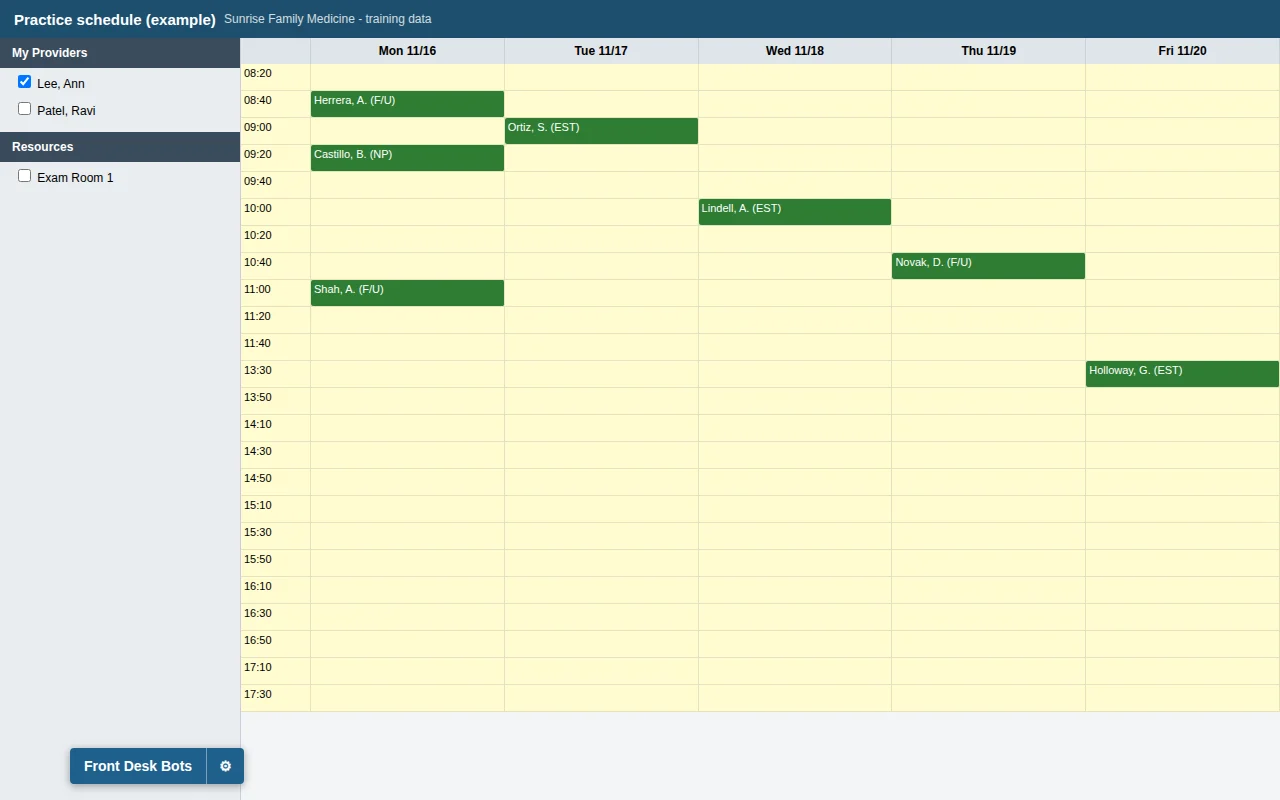
Screens show the Palladium training practice with made-up patients.
Front Desk Bots uses the same eCW access the signed-in user already has. It has no server of its own, so patient information never leaves the computer it is used on.
Fill in the form below. We email a license key for your eCW site, usually within one business day.
Open the Chrome Web Store link in the email and click Add to Chrome. Sign in to eCW as usual.
Click the gear, paste the key, pick your providers and click Save. Then click Front Desk Bots and choose your dates.
Every plan includes all four reports and every update. Start with a free 30-day trial; no card needed.
A solo practice with one front-desk user.
A practice with a busy front desk.
Groups and health centers with several locations.
Prices in US dollars. Sales tax may apply. After the trial, we send an invoice; your reports keep working as long as your license is active.
Looking for billing? See Billing Bots prices.
 Billing Bots by BroadConnect
Billing Bots adds three green buttons to eCW. Each one builds a worklist your biller can act on: visits with no claim, same-day visits billed together, and claims stuck in denial or error. Like Front Desk Bots, it only reads. Nothing in eCW changes.
Visits that were seen but never billed.
Lists checked-out visits that still have no claim, with how many days old each one is and why it may be stuck.
For health centers that bill medical and behavioral health separately.
Finds patients seen more than once on the same day whose visits are not on separate claims.
Denied, rejected and error claims, by deadline.
Lists claims that still have a balance, sorted by days left before your filing limit.
The full billing worklist.
Not Yet Billed, Same-Day Visits and Claims Needing Work on one license key.
Prices in US dollars, per eCW site. Sales tax may apply. Every plan starts with a free 30-day trial; no card needed. After the trial, we send an invoice. Groups with several eCW sites: ask us for a quote.
eCW cloud sites, the ones you reach at a web address ending in ecwcloud.com, opened in Google Chrome. It does not run on eCW installed on your own server, or in other browsers. The free trial is the best way to confirm it works with your site before you pay.
No. Front Desk Bots has no server. It reads from the eCW site you are signed in to and shows the report in your browser tab. Nothing is sent to BroadConnect or anyone else. See the privacy policy.
No. It can only call three eCW read requests (the schedule, the patient hub and the patient address). Anything else is blocked inside the extension's own code.
No. It shows the insurance that is recorded in each chart and flags gaps, like a missing member ID. It does not contact payers, so it cannot tell you whether coverage is active. Keep running eligibility checks the way your office does today.
Only people who can already see that information in eCW. The extension uses the signed-in user's own eCW access. If you download a report, treat the file like any other document with patient information, under your office's HIPAA policies.
A license key is a line of text we email you, starting with FDB1-. You paste it once into the Settings window. The key is checked inside your browser, so it works without contacting us, and it only works on the eCW site it was made for.
The Front Desk Bots button asks for a new key. Nothing in eCW is affected. If you choose a plan, we email a new key and you paste it into Settings.
Front Desk Bots helps the front desk prepare charts and close the day. Billing Bots helps the billing team find visits and claims that are losing money. They are separate extensions with separate license keys: Front Desk Bots keys start with FDB1- and Billing Bots keys start with BB1-. You can use either one, or both.
No, on purpose. It finds the problems and opens the right claim or visit with one click, but your biller makes and checks every change. That keeps a person responsible for what is sent to payers.
No. Both are made by BroadConnect, a healthcare IT and cybersecurity company in Temple City, California. Front Desk Bots and Billing Bots were developed with Palladium Technical Academy, which trains medical administrative assistants on eCW. They are not made, endorsed or supported by eClinicalWorks.
Tell us about your office and pick the bots you want to try. We reply with your license key and setup instructions, usually within one business day.